
Inventory
Inventory management for shops that count every unit
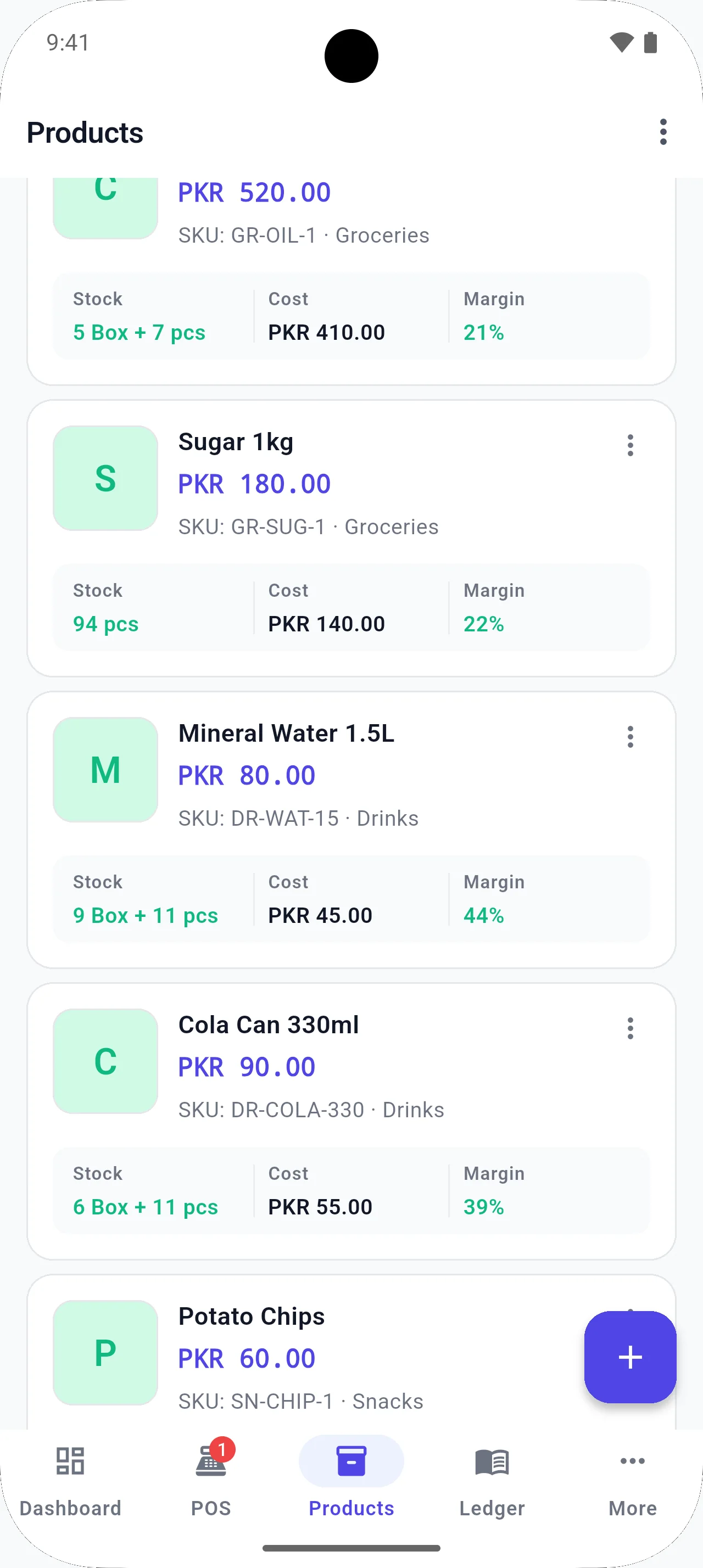
Keep stock quantities, low-stock alerts, and stock value with the same products you sell at the counter — no separate spreadsheet after closing.
The problem
When stock lives in a notebook or a separate Excel file, the counter sells items that are already finished — or staff re-count shelves every week.
How BezPOS helps
BezPOS keeps product-level stock with the POS. Low-stock and out-of-stock states are visible in the same system you use to sell. Stock numbers stay part of dukan ka hisab kitab, not a side notebook.
What you can do
- Product-level stock tracking
- Low-stock and out-of-stock views
- Stock value reporting
- Categories, subcategories, and brands
- Multiple units on the same product
- Stock stays available locally, even offline
Related features
Related solutions
Related guides
FAQ
Inventory Management questions
Does inventory work without internet?
Yes. Stock records are stored locally, so you can check quantities and sell against them offline.
Can I see stock value?
Yes. Stock value reporting is available so you can see what inventory is worth based on the records in BezPOS.
How do sales affect stock?
When you bill a product, inventory updates with that sale so the counter and the shelf count stay in the same system.
Can I organize a large catalog?
Yes. Categories, subcategories, and brands help you find items quickly without scrolling an unsorted list.
Get started
Run your business with BezPOS.
Put billing, stock, ledgers, and expenses on the device you already use at the counter.