Tractor and agricultural machinery parts retailers.
Tractor parts shop POS & stock software
Tractor parts businesses mix slow-moving genuine parts with fast-moving consumables. BezPOS keeps that catalog, stock orders, and supplier balances on the shop’s own device.
Who this is for
Tractor and agricultural parts shops sell a mix of slow-moving genuine parts and fast-moving filters, blades, and consumables. Seasonal demand spikes, and dealer payables run long.
BezPOS is written for that retail pattern: large catalogs, stock orders before peak season, and supplier ledgers — on an offline-first device. The same tools also serve other parts and hardware shops.
Daily problems at this counter
Seasonal demand means filters and blades move in bursts. Without low-stock and ordering workflows, you discover shortages when farmers are already at the counter.
OEM and pattern parts share similar labels. A searchable catalog with brands and categories reduces wrong-bin picks.
Dealers expect payment against long running balances. If payables live only in chat threads, month-end becomes negotiation by memory.
Rural connectivity is often worse than the shop’s need to sell. Cloud-dependent billing is a poor fit for many agricultural retail counters.
- Seasonal demand: filters and blades move in bursts.
- OEM and pattern parts share similar labels.
- Dealers expect payment against long running balances.
- Rural connectivity is often worse than the shop’s need to sell.
How BezPOS features solve them
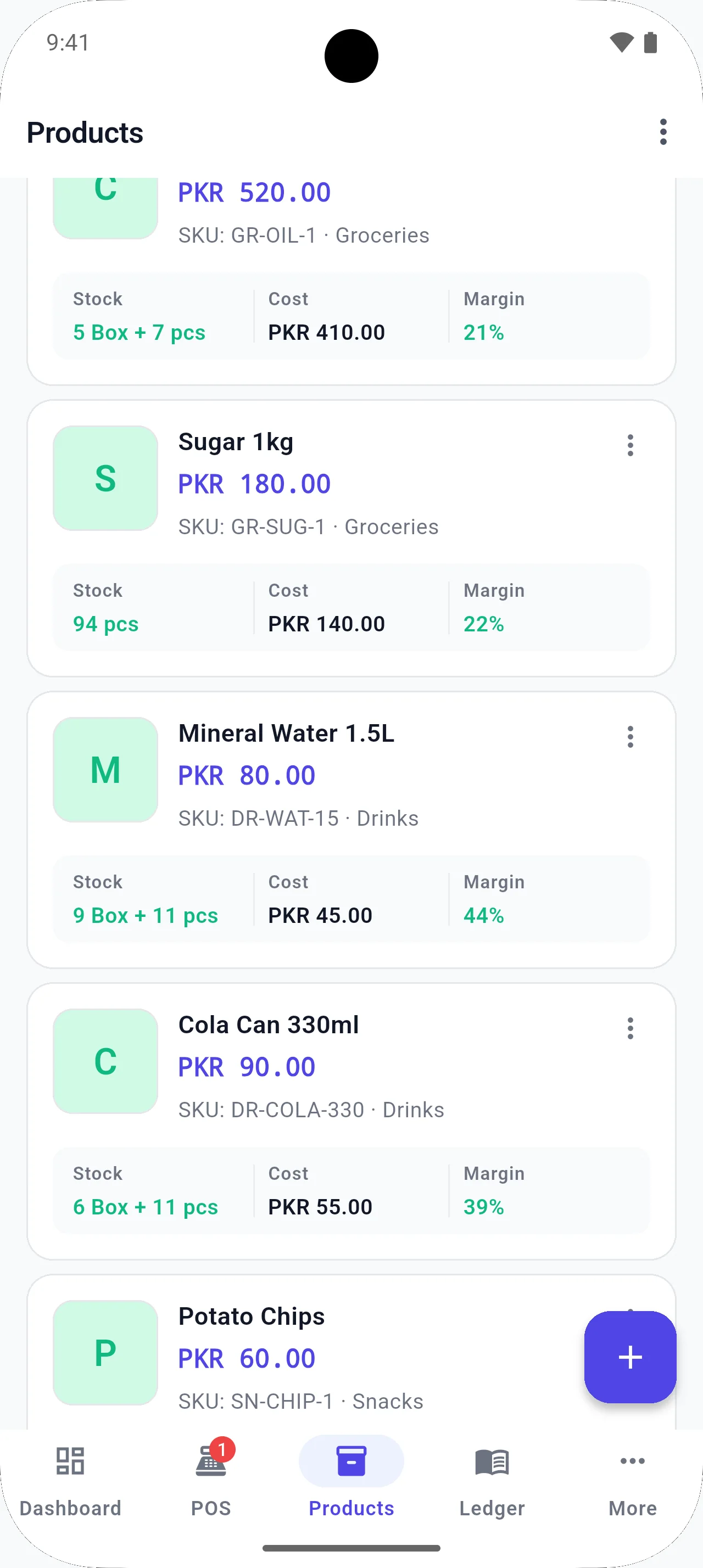
Inventory management organizes parts by category, subcategory, and brand while tracking stock value.
Stock orders and receiving help you replenish before peak season and update quantities when shipments arrive.
Supplier ledger keeps dealer balances with the products those dealers supply.
Offline POS works during the day without internet; Google Drive backup remains optional when a stable connection is available.
- Work offline during the day; backup is optional and separate.
- Organize by category, subcategory, and brand.
- Use stock orders before peak season, then receive into inventory.
- Keep supplier ledger entries with the products those dealers supply.
Running the counter day to day
Agricultural parts demand is lumpy. Filters and blades race out before harvest and sit still afterward. Offline POS matters because rural connectivity is often weakest exactly when farmers are in town buying consumables. The shop cannot wait for a cloud page to load before selling a seal.
Catalog discipline separates OEM and pattern parts that share similar labels. Categories, brands, and clear names reduce wrong picks more than another unread binder. Build the list with bulk tools if you already keep Excel; do not retype a thousand rows on a phone form.
Before peak season, treat low stock as a procurement list, not a regret list. Create stock orders early, receive carefully, and keep dealer balances in the supplier ledger so cash planning matches what you actually took in. That is how seasonal shops avoid both empty bins and surprise payables.
Seasonal shops should calendar the POS work: pre-season catalog cleanup, pre-season stock orders, in-season daily low-stock checks, post-season stock value review. The same app supports all four if you actually open those screens.
When a dealer calls for payment, open the supplier ledger first. Paying from memory is how agricultural retail shops fund someone else’s mistake.
Local context
Tractor parts retail in Pakistan often sits outside dense city broadband. Offline-first POS and local stock records let the shop keep selling and keep dukan ka hisab kitab accurate even when the connection is weak.
Example workflow
- Build the parts list with bulk entry or Excel import.
- Flag low stock on seasonal consumables.
- Sell at the counter without waiting on internet.
- Receive shipments and confirm quantities in inventory.
- Check profit and stock value after the season rush.
Relevant features
Related guides
FAQ
Questions for this shop type
Is this only for tractor parts?
No. The same inventory and ledger tools are used by other parts and hardware shops. This page is written for tractor-parts retail because the catalog and supplier pattern is specific.
Can I prepare stock before peak season?
Yes. Low-stock views and stock orders help you replenish consumables before demand spikes, then receive into inventory when goods arrive.
Can I track dealer payables?
Yes. The supplier ledger is built for balances next to the parts those dealers supply.
Does BezPOS need continuous internet?
No. Everyday selling and stock work run from local data. Drive backup is optional and separate.
Get started
Run your business with BezPOS.
Put billing, stock, ledgers, and expenses on the device you already use at the counter.