Neighborhood general stores, kiryana shops, and mixed retail counters.
General store POS & billing software for kiryana shops
General stores mix packets, loose items, credit regulars, and long hours. BezPOS is built for that mix — billing, stock, and ledgers on the device, even when the connection drops.
Who this is for
A general store — kiryana, neighborhood corner shop, or mixed retail counter — sells hundreds of small items every day. Biscuits, soap, tea, loose sugar, cold drinks, and a few high-value items all share one till. Staff know regulars by face, and many of those regulars still take goods on credit.
BezPOS is for that shop: one offline-first POS for billing, inventory, customer credit, and expenses — without needing a cloud login to open the till.
Daily problems at this counter
Evening rush is when Wi-Fi fails most often. If billing freezes, the queue turns into arguments and lost sales. Paper backups are slow and they do not update stock.
Packs and singles confuse stock. A carton of biscuits may sell as a full pack or as loose pieces. Without multi-unit support, staff invent conversions in a notebook and quantities drift within a week.
Udhaar is normal. Regulars take goods today and pay on Saturday. When credit lives only on carbon copies or WhatsApp, balances become fights — and dukan ka hisab kitab never matches the drawer.
Fast movers run out quietly. Soap, oil, and tea finish before anyone notices, because stock is counted after closing instead of while selling.
- Wi-Fi in a small shop is unreliable, especially in the evening rush.
- Hundreds of SKUs from biscuits to soap, with packs that also sell as singles.
- Regulars take goods on credit and pay later.
- Stock-outs of fast movers are noticed only when a customer asks.
How BezPOS features solve them
Offline POS keeps the counter moving when the router drops. Products and prices live on the device, so you bill from a local catalog — see Offline POS billing.
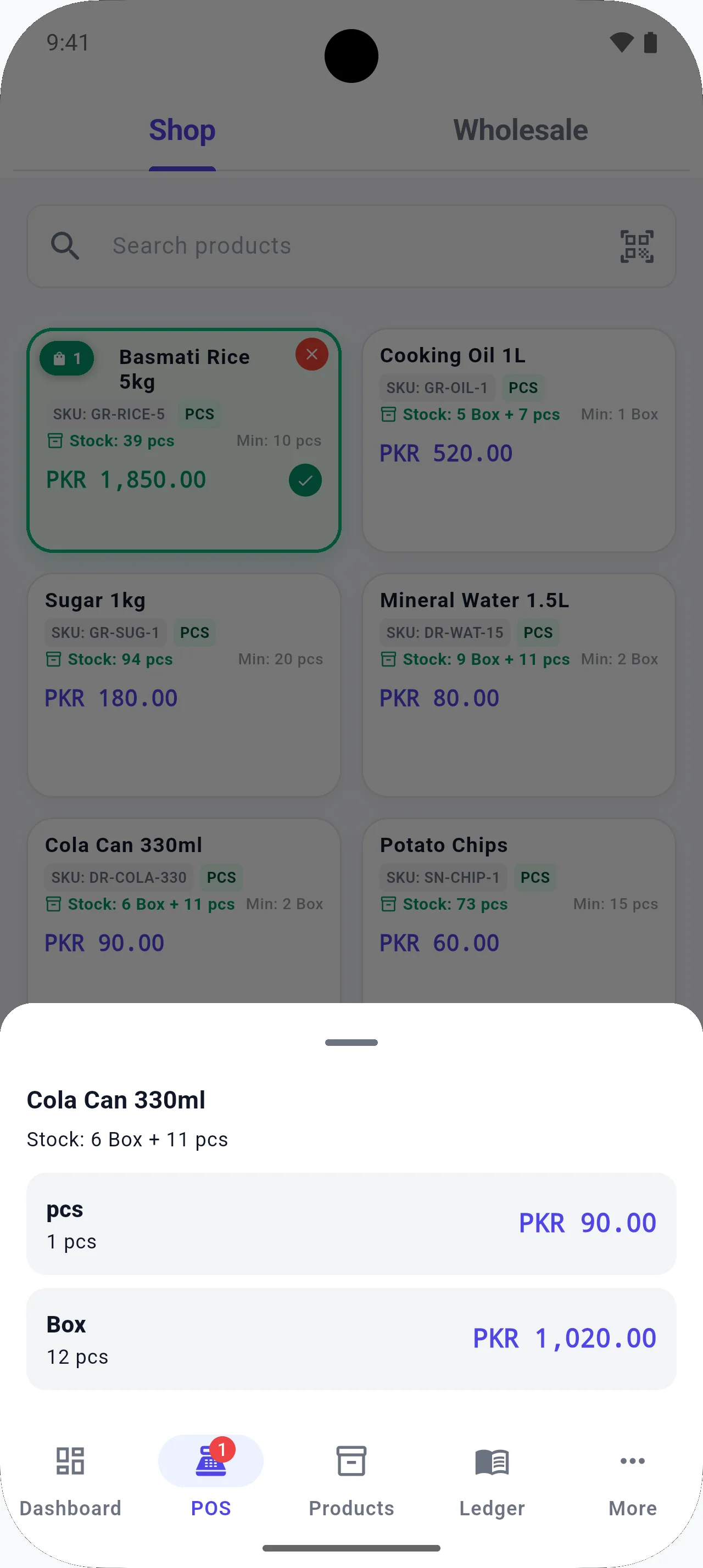
Multi-unit selling lets you buy in cartons and sell as pieces without creating duplicate products for every pack size.
The customer ledger is your digital udhaar ledger: credit sales and payments stay next to the customer, not in a separate copy book.
Inventory and low-stock views show what is running out before the shelf is empty. Expenses capture transport, packing, and rent so profit is not sales-only guesswork.
- Bill offline so a dropped connection does not stop the queue.
- Keep product-level stock and low-stock visibility for daily movers.
- Use the customer ledger for credit regulars instead of a carbon copy.
- Record expenses such as transport and packing with the rest of the shop figures.
Running the counter day to day
Most general stores do not fail because the owner lacks effort. They fail at the seams: a dropped connection mid-bill, a credit balance nobody can prove, and a fast mover that finished yesterday while the notebook still said “plenty.” Those seams show up as small daily losses — a cancelled sale, a freebie to calm an angry regular, a supplier visit with the wrong list — that add up over a month.
When you move dukan ka hisab kitab onto an offline POS, start narrow. Load the SKUs that leave the counter every evening, set pack-versus-piece units where you break cartons, and put your five heaviest udhaar customers into the ledger first. Perfect catalogs can wait. A working till cannot.
Training staff is simpler when the app matches how the shop already talks: search the name people use, scan when a barcode exists, hold the bill when someone adds “one more thing,” and check low stock before the distributor’s usual day. That rhythm is what turns software into habit instead of another abandoned icon on the phone.
Download day is not migration day. Spend one quiet morning loading products and testing a few bills before you promise the evening rush on a new till. Keep the old notebook for a week as a safety net, then retire it when the digital numbers match what the drawer says.
Internal links matter for your own staff too: when someone asks how credit works, point them at the customer ledger — and at the habit of posting payments the same day. Software without a shop rule becomes another abandoned app.
Local context
Across Pakistan, many kiryana shops still close the day in a register. Power cuts, congested mobile data, and shared routers are common — which is why offline-first POS matters more than a pretty cloud dashboard. BezPOS keeps dukan ka hisab kitab on the phone or PC you already use at the counter.
Example workflow
- Add your fastest-moving products first, with barcodes where packs have them.
- Set selling units for items you break from a carton.
- Start billing at the counter; hold a sale if a customer adds more items.
- Review low stock before the next supplier visit.
- Back up to Google Drive when you have a stable connection.
FAQ
Questions for this shop type
Is BezPOS suitable for a small general store?
Yes. It is designed for shops that need billing, stock, and customer credit without depending on internet during the day.
Can I sell both packets and loose pieces?
Yes, where you set multiple units on a product so inventory and selling units can differ.
Can I keep an udhaar ledger for regulars?
Yes. The customer ledger tracks credit sales and payments so you have a running balance instead of loose slips.
Does the shop need a BezPOS cloud account?
No. There is no BezPOS login for day-to-day use. Data stays on the device; Google Drive backup is optional.
Get started
Run your business with BezPOS.
Put billing, stock, ledgers, and expenses on the device you already use at the counter.