Car and motorcycle spare-parts retailers.
Auto parts shop POS software for large catalogs
Auto parts shops sell by number, brand, and fitment knowledge. BezPOS gives the counter a local catalog, stock, and supplier ledger so a missing part and a missing payment are both visible.
Who this is for
Auto parts retailers sell by part number, brand, and hard-won fitment knowledge. The counter needs search, stock truth, and a clear view of what suppliers are owed — not a WhatsApp-only sales history.
BezPOS manages products, stock, sales, and ledgers. It does not claim a built-in vehicle-fitment database; you store parts the way your shop already names them.
Daily problems at this counter
Thousands of SKUs look alike on the shelf. Without a searchable catalog with brands and codes, customers wait while staff hunt a number in a paper file.
Partial deliveries from distributors leave stock and payables out of sync. If receiving is informal, the rack says one thing and the supplier bill says another.
A shop that bills only on WhatsApp has no stock value at month end — and no clean answer when a bank or partner asks what the inventory is worth.
Connectivity at a parts bazaar can be poor. Cloud-only billing tools pause at exactly the wrong time: when a mechanic is waiting for a seal or filter.
- Thousands of SKUs; many look alike on the shelf.
- Customers wait while staff hunt for a number in a paper file.
- Suppliers deliver partial orders; stock and payables get out of sync.
- A shop that bills only on WhatsApp has no stock value at month end.
How BezPOS features solve them
Bulk product entry and XLSX import load large spare-parts lists without tapping one form at a time.
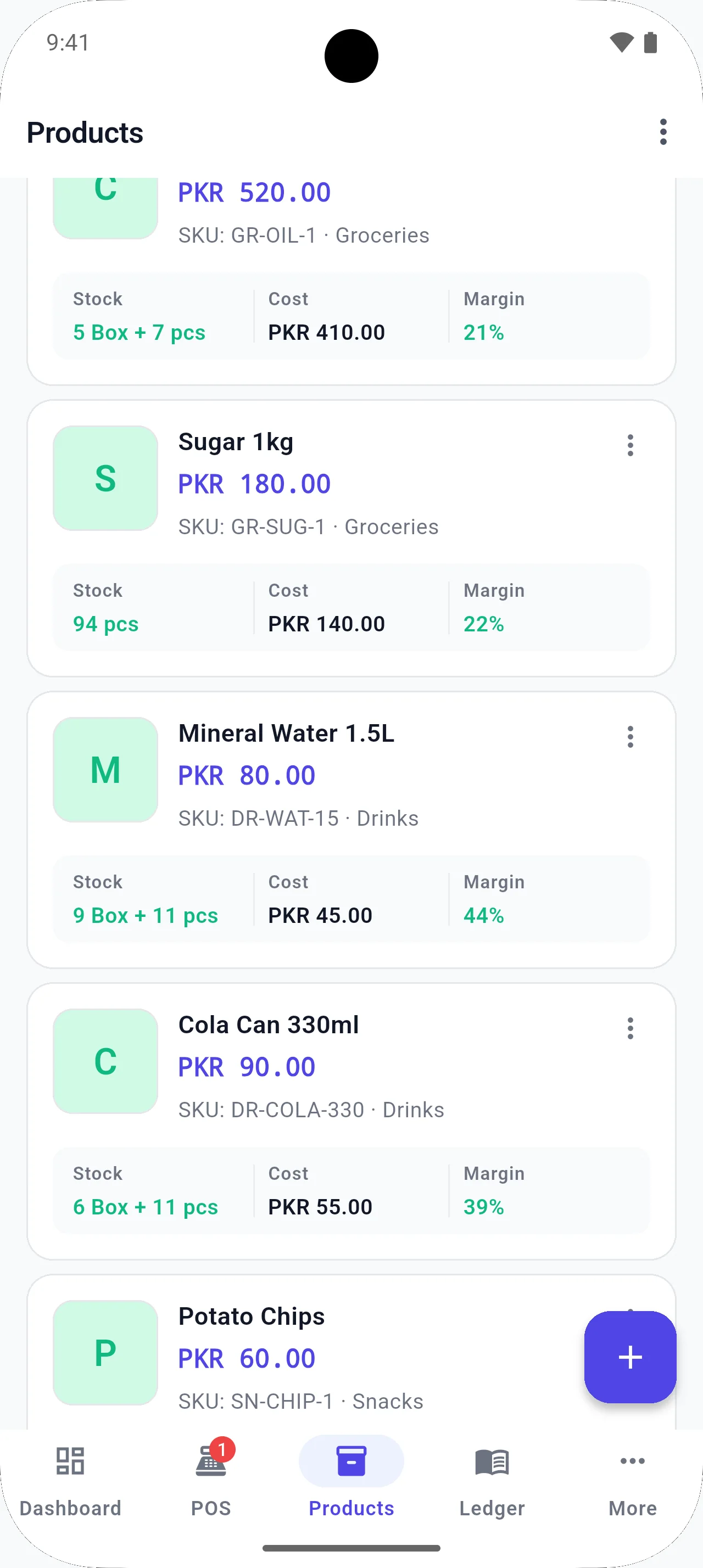
Inventory management keeps brands, categories, images, and stock value on the same local catalog.
Supplier ledger tracks balances next to the parts those dealers supply.
Stock orders and receiving update inventory when deliveries arrive. Offline POS keeps the counter selling without a live server.
- Load large catalogs with bulk table entry or XLSX.
- Keep brands, categories, and images on parts.
- Track supplier balances next to the parts they supply.
- See stock value instead of guessing what the racks are worth.
Running the counter day to day
Parts retail is a search problem wearing a shop’s clothing. The customer arrives with a number, a photo, or a half-remembered brand. If your catalog is only in a paper file, the counter becomes a library desk. Bulk entry and XLSX import exist so the searchable list on the device matches the rack.
Partial deliveries are normal. The dangerous habit is updating payables from the invoice while updating stock later. Later is how you pay for goods you never shelved — or refuse goods you already sold. Receive into inventory when the carton is still open on the floor.
Month-end stock value is not vanity. Workshops and banks ask what the racks are worth. A local inventory with cost records answers that better than a WhatsApp sales history. Pair it with a supplier ledger so the next payment conversation starts from numbers, not memory.
Mechanics add lines mid-ticket. Hold the sale, pull the extra seal, resume — that flow is as important as search. A POS that forces you to cancel and restart teaches staff to bill outside the system.
For fitment knowledge that lives in your head, put enough of it into the product name or notes that a second staff member can find the part. The software will not invent vehicle fitment for you; it will store what you teach it.
Local context
Auto parts markets in Pakistan often mix cash sales, credit to workshops, and long supplier running balances. Keeping catalog, stock, and supplier ledger on one offline-first device makes dukan ka hisab kitab easier to prove before you pay a distributor.
Example workflow
- Import or bulk-enter parts with codes and brands.
- Bill by scan or search; hold the sale if a mechanic adds another item.
- Create stock orders for fast-moving references.
- Receive deliveries and let quantities update.
- Review supplier ledger before the next payment.
Relevant features
Related guides
FAQ
Questions for this shop type
Can I manage a large spare-parts list?
Yes. Bulk product entry and XLSX import/export are intended for catalogs that are too large to tap one form at a time.
Does BezPOS know vehicle fitment?
BezPOS manages products, stock, sales, and ledgers. It does not claim a built-in vehicle-fitment database. You store the parts the way your shop already names them.
Can I track what I owe distributors?
Yes. The supplier ledger keeps balances next to the products those suppliers replenish.
Does billing need internet?
No. Day-to-day POS runs from local data on the device.
Get started
Run your business with BezPOS.
Put billing, stock, ledgers, and expenses on the device you already use at the counter.